
Detect the threats targeting your smartphones

Results in minutes
No access to your messages, emails, or photos
Beyond the sandbox
The phone stays with its user
Supported and recognized by


Use cases
When to use Shindan
Protect at-risk individuals
Equip the security team
Does one of these situations sound familiar?
Let’s talk about it in a demo.
Travel
One trip, three scans.
Before the trip
Before a trip, a scan looks for vulnerabilities, and the report lists the recommendations to apply (updates, stronger security settings).
During the trip
At the first sign of abnormal device behavior (battery draining fast, unexplained slowdowns), the user runs a scan from the Shindan Mobile app, without waiting to get back to the office.
After the trip
Back home, a final scan looks for indicators of compromise, especially if the phone was left unattended (at customs, during an airport transfer).

The Shindan approach
Thinking outside the sandbox
A mobile EDR runs as an app, so iOS and Android confine it to a sandbox like every other app. An MDM manages and configures devices. Shindan relies on diagnostics produced by the operating system itself to look for indicators of compromise and vulnerability.
System
Source of the Shindan diagnosis
Sandbox
Where a mobile EDR stops
Apps
The report
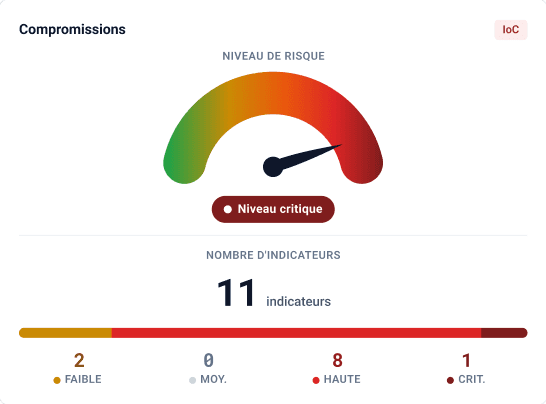
A clear report, without reading your messages, emails, or photos.

Comparison
Shindan compared with existing approaches.
Time to get a diagnosis
Manual forensic analysis
Often several hours, sometimes several days
Shindan
A few minutes
Time to diagnosis
A few minutes
Often several hours, sometimes several days
Continuous alerts, limited to signals exposed by the system
The phone stays with its user
Yes
No: often several hours, sometimes several days
Yes
Access to content (messages, photos)
No
Yes, by extracting the phone’s data
No: limits set by Apple and Google
Source of the analysis
Diagnostics produced by the operating system itself
Extraction of the phone’s data
What the system exposes to an app or to the MDM
Deployment
Two ways to deploy Shindan.

Shindan Desktop
For organizations that require in-house deployment.
Shindan deployed on-premises, in your own environment
Scans run on a dedicated machine within your infrastructure: the analyzed data stays there
With a graphical interface, or a command-line interface (CLI) for CERT and CSIRT teams

Shindan SaaS
For teams that monitor the security of a phone fleet.
A centralized dashboard to manage the whole fleet
Includes Shindan Mobile: the iOS, iPadOS, and Android apps
Hosted in France (EU) by French hosting providers
Shindan Mobile
The scan in your pocket, even on the road.
Check your devices’ security at any time.


iOS, iPadOS, and Android apps, available to Shindan SaaS customers:
What teams using Shindan say.
Resources
Articles and product news.


Answers to the questions you may have.
Does Shindan replace an MDM or a mobile EDR?
Are smartphones really targeted by attackers?
Does Shindan replace an in-depth forensic analysis?
What does the report contain?
Which platforms is Shindan available on?
Does Shindan access our messages or photos?
Where is the analyzed data hosted?